2012-01-31
MacでディスプレイとPCのスリープを起動しないようにコマンドライン(CUI)から設定したい
Mac | |
![]()
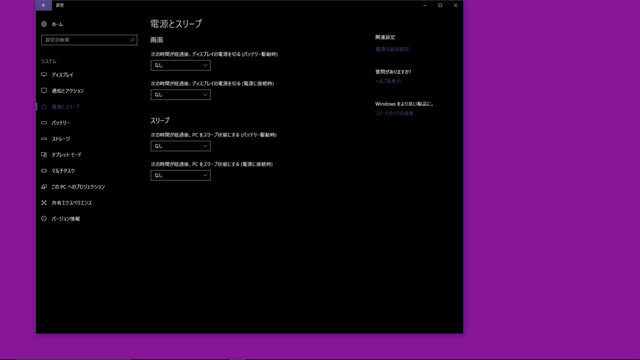
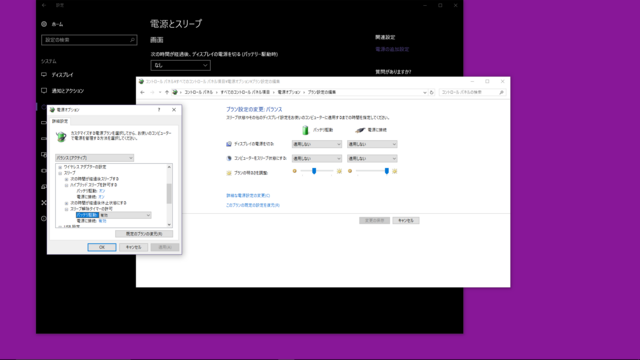
# ディスプレイとPCをスリープさせないように
$ sudo pmset -a sleep 0 displaysleep 0
これだ!
Macでスクリーンセーバーを起動しないようにコマンドライン(CUI)から設定したい
Mac | |
![]()
# スクリーンセーバー起動しないように
$ sudo defaults -currentHost write com.apple.screensaver idleTime -int 0
これでいけた。
自分の設定を見る場合は、-currentHostを指定すればいいみたい!
2012-01-27
MacでCUIでスタートアップ(Login Items)時に起動するアプリを追加したい
Mac | |
![]()
https://github.com/rin1024/AddLoginItem
書いてみました。
使い方は超簡単。
上記をgit cloneなんちゃらして、AddLoginItem.appを追加したいアプリケーションのパスと一緒に実行すればOKです。
例えばテキストエディットを追加したい場合はこんな感じで。
osascript /Applications/AddLoginItem.app /Applications/TextEdit.app
これを実行して"add Login Items, succeeded."ってメッセージがでれば追加されてます。
確認方法としては、
System Preferences -> Users & Groups -> Login Itemsを見れもらえれば追加されてるかと思われます。
※以下、調査してた時のメモ。
あんまやくにたちませんが、なんとなく。
・設定は下記にあある
open ~/Library/Preferences/loginwindow.plist
・GUIは以下
http://hp.vector.co.jp/authors/VA010318/intro/ama0112/011231.html
・スタートアップのサービス登録(CUI,batch,shell等)は
ll /Library/StartupItems/
ll /System/Library/StartupItems/
ll ~/Library/LaunchAgents/
ll /Library/LaunchAgents
ll /Library/LaunchDaemons
ll /System/Library/LaunchAgents
ll /System/Library/LaunchDaemons
あたりにstartupなんちゃらをおく
・ログイン時に実行とかであればコレ
sudo defaults write com.apple.loginwindow LoginHook /path/to/batch.sh
・今登録してる情報を参照
defaults read loginwindow | grep Path
・フックスクリプトを見てみる
defaults read loginwindow
ArduinoのプログラムをCUIで書き込みしまくる
Arduino | |
![]()
複数のArduinoやAVR系マイコンに対して毎回書き込みするのめんどくさいなーと思ったので調べてみました。
◆pdeがcppされる瞬間を見る
・hoge.pdeの時のコード
#include <IRremote.h> IRsend irsend; void setup() { Serial.begin(9600); } void loop() { Serial.println("send"); irsend.sendSony(0x1, 12); // Sony TV power code delay(1000); //irsend.sendNEC(0x1, 12); // Sony TV power code //delay(1000); }
・hoge.cppになった時のコード
#include <IRremote.h> #include "WProgram.h" void setup(); void loop(); IRsend irsend; void setup() { Serial.begin(9600); } void loop() { Serial.println("send"); irsend.sendSony(0x1, 12); // Sony TV power code delay(1000); //irsend.sendNEC(0x1, 12); // Sony TV power code //delay(1000);
というかんじで、関数の宣言(void setup();とか)を自動で追加してくれている模様。
なるほどなるほど。
◆コンパイルまでの流れ
Arduino IDEでは、シフトキーを押しながらコンパイルすると、
ログが表示されるという機能があります。
実は最近まで知りませんでした><
で、そのログを見てみる。
/Applications/Arduino.app/Contents/Resources/Java/hardware/tools/avr/bin/avr-g++ -c -g -Os -w -fno-exceptions -ffunction-sections -fdata-sections -mmcu=atmega328p -DF_CPU=16000000L -DARDUINO=22 -I/Applications/Arduino.app/Contents/Resources/Java/hardware/arduino/cores/arduino -I/Users/yuki/Documents/Arduino/libraries/IRremote /Users/yuki/Desktop/hoge/IRsendDemo2.cpp -o/Users/yuki/Desktop/hoge/IRsendDemo2.cpp.o
/Applications/Arduino.app/Contents/Resources/Java/hardware/tools/avr/bin/avr-g++ -c -g -Os -w -fno-exceptions -ffunction-sections -fdata-sections -mmcu=atmega328p -DF_CPU=16000000L -DARDUINO=22 -I/Applications/Arduino.app/Contents/Resources/Java/hardware/arduino/cores/arduino -I/Users/yuki/Documents/Arduino/libraries/IRremote -I/Users/yuki/Documents/Arduino/libraries/IRremote/utility /Users/yuki/Documents/Arduino/libraries/IRremote/IRremote.cpp -o/Users/yuki/Desktop/hoge/IRremote/IRremote.cpp.o
/Applications/Arduino.app/Contents/Resources/Java/hardware/tools/avr/bin/avr-gcc -c -g -Os -w -ffunction-sections -fdata-sections -mmcu=atmega328p -DF_CPU=16000000L -DARDUINO=22 -I/Applications/Arduino.app/Contents/Resources/Java/hardware/arduino/cores/arduino /Applications/Arduino.app/Contents/Resources/Java/hardware/arduino/cores/arduino/pins_arduino.c -o/Users/yuki/Desktop/hoge/pins_arduino.c.o
/Applications/Arduino.app/Contents/Resources/Java/hardware/tools/avr/bin/avr-gcc -c -g -Os -w -ffunction-sections -fdata-sections -mmcu=atmega328p -DF_CPU=16000000L -DARDUINO=22 -I/Applications/Arduino.app/Contents/Resources/Java/hardware/arduino/cores/arduino /Applications/Arduino.app/Contents/Resources/Java/hardware/arduino/cores/arduino/WInterrupts.c -o/Users/yuki/Desktop/hoge/WInterrupts.c.o
/Applications/Arduino.app/Contents/Resources/Java/hardware/tools/avr/bin/avr-gcc -c -g -Os -w -ffunction-sections -fdata-sections -mmcu=atmega328p -DF_CPU=16000000L -DARDUINO=22 -I/Applications/Arduino.app/Contents/Resources/Java/hardware/arduino/cores/arduino /Applications/Arduino.app/Contents/Resources/Java/hardware/arduino/cores/arduino/wiring.c -o/Users/yuki/Desktop/hoge/wiring.c.o
/Applications/Arduino.app/Contents/Resources/Java/hardware/tools/avr/bin/avr-gcc -c -g -Os -w -ffunction-sections -fdata-sections -mmcu=atmega328p -DF_CPU=16000000L -DARDUINO=22 -I/Applications/Arduino.app/Contents/Resources/Java/hardware/arduino/cores/arduino /Applications/Arduino.app/Contents/Resources/Java/hardware/arduino/cores/arduino/wiring_analog.c -o/Users/yuki/Desktop/hoge/wiring_analog.c.o
/Applications/Arduino.app/Contents/Resources/Java/hardware/tools/avr/bin/avr-gcc -c -g -Os -w -ffunction-sections -fdata-sections -mmcu=atmega328p -DF_CPU=16000000L -DARDUINO=22 -I/Applications/Arduino.app/Contents/Resources/Java/hardware/arduino/cores/arduino /Applications/Arduino.app/Contents/Resources/Java/hardware/arduino/cores/arduino/wiring_digital.c -o/Users/yuki/Desktop/hoge/wiring_digital.c.o
/Applications/Arduino.app/Contents/Resources/Java/hardware/tools/avr/bin/avr-gcc -c -g -Os -w -ffunction-sections -fdata-sections -mmcu=atmega328p -DF_CPU=16000000L -DARDUINO=22 -I/Applications/Arduino.app/Contents/Resources/Java/hardware/arduino/cores/arduino /Applications/Arduino.app/Contents/Resources/Java/hardware/arduino/cores/arduino/wiring_pulse.c -o/Users/yuki/Desktop/hoge/wiring_pulse.c.o
/Applications/Arduino.app/Contents/Resources/Java/hardware/tools/avr/bin/avr-gcc -c -g -Os -w -ffunction-sections -fdata-sections -mmcu=atmega328p -DF_CPU=16000000L -DARDUINO=22 -I/Applications/Arduino.app/Contents/Resources/Java/hardware/arduino/cores/arduino /Applications/Arduino.app/Contents/Resources/Java/hardware/arduino/cores/arduino/wiring_shift.c -o/Users/yuki/Desktop/hoge/wiring_shift.c.o
/Applications/Arduino.app/Contents/Resources/Java/hardware/tools/avr/bin/avr-g++ -c -g -Os -w -fno-exceptions -ffunction-sections -fdata-sections -mmcu=atmega328p -DF_CPU=16000000L -DARDUINO=22 -I/Applications/Arduino.app/Contents/Resources/Java/hardware/arduino/cores/arduino /Applications/Arduino.app/Contents/Resources/Java/hardware/arduino/cores/arduino/HardwareSerial.cpp -o/Users/yuki/Desktop/hoge/HardwareSerial.cpp.o
/Applications/Arduino.app/Contents/Resources/Java/hardware/tools/avr/bin/avr-g++ -c -g -Os -w -fno-exceptions -ffunction-sections -fdata-sections -mmcu=atmega328p -DF_CPU=16000000L -DARDUINO=22 -I/Applications/Arduino.app/Contents/Resources/Java/hardware/arduino/cores/arduino /Applications/Arduino.app/Contents/Resources/Java/hardware/arduino/cores/arduino/main.cpp -o/Users/yuki/Desktop/hoge/main.cpp.o
/Applications/Arduino.app/Contents/Resources/Java/hardware/tools/avr/bin/avr-g++ -c -g -Os -w -fno-exceptions -ffunction-sections -fdata-sections -mmcu=atmega328p -DF_CPU=16000000L -DARDUINO=22 -I/Applications/Arduino.app/Contents/Resources/Java/hardware/arduino/cores/arduino /Applications/Arduino.app/Contents/Resources/Java/hardware/arduino/cores/arduino/Print.cpp -o/Users/yuki/Desktop/hoge/Print.cpp.o
/Applications/Arduino.app/Contents/Resources/Java/hardware/tools/avr/bin/avr-g++ -c -g -Os -w -fno-exceptions -ffunction-sections -fdata-sections -mmcu=atmega328p -DF_CPU=16000000L -DARDUINO=22 -I/Applications/Arduino.app/Contents/Resources/Java/hardware/arduino/cores/arduino /Applications/Arduino.app/Contents/Resources/Java/hardware/arduino/cores/arduino/Tone.cpp -o/Users/yuki/Desktop/hoge/Tone.cpp.o
/Applications/Arduino.app/Contents/Resources/Java/hardware/tools/avr/bin/avr-g++ -c -g -Os -w -fno-exceptions -ffunction-sections -fdata-sections -mmcu=atmega328p -DF_CPU=16000000L -DARDUINO=22 -I/Applications/Arduino.app/Contents/Resources/Java/hardware/arduino/cores/arduino /Applications/Arduino.app/Contents/Resources/Java/hardware/arduino/cores/arduino/WMath.cpp -o/Users/yuki/Desktop/hoge/WMath.cpp.o
/Applications/Arduino.app/Contents/Resources/Java/hardware/tools/avr/bin/avr-g++ -c -g -Os -w -fno-exceptions -ffunction-sections -fdata-sections -mmcu=atmega328p -DF_CPU=16000000L -DARDUINO=22 -I/Applications/Arduino.app/Contents/Resources/Java/hardware/arduino/cores/arduino /Applications/Arduino.app/Contents/Resources/Java/hardware/arduino/cores/arduino/WString.cpp -o/Users/yuki/Desktop/hoge/WString.cpp.o
/Applications/Arduino.app/Contents/Resources/Java/hardware/tools/avr/bin/avr-ar rcs /Users/yuki/Desktop/hoge/core.a /Users/yuki/Desktop/hoge/pins_arduino.c.o
/Applications/Arduino.app/Contents/Resources/Java/hardware/tools/avr/bin/avr-ar rcs /Users/yuki/Desktop/hoge/core.a /Users/yuki/Desktop/hoge/WInterrupts.c.o
/Applications/Arduino.app/Contents/Resources/Java/hardware/tools/avr/bin/avr-ar rcs /Users/yuki/Desktop/hoge/core.a /Users/yuki/Desktop/hoge/wiring.c.o
/Applications/Arduino.app/Contents/Resources/Java/hardware/tools/avr/bin/avr-ar rcs /Users/yuki/Desktop/hoge/core.a /Users/yuki/Desktop/hoge/wiring_analog.c.o
/Applications/Arduino.app/Contents/Resources/Java/hardware/tools/avr/bin/avr-ar rcs /Users/yuki/Desktop/hoge/core.a /Users/yuki/Desktop/hoge/wiring_digital.c.o
/Applications/Arduino.app/Contents/Resources/Java/hardware/tools/avr/bin/avr-ar rcs /Users/yuki/Desktop/hoge/core.a /Users/yuki/Desktop/hoge/wiring_pulse.c.o
/Applications/Arduino.app/Contents/Resources/Java/hardware/tools/avr/bin/avr-ar rcs /Users/yuki/Desktop/hoge/core.a /Users/yuki/Desktop/hoge/wiring_shift.c.o
/Applications/Arduino.app/Contents/Resources/Java/hardware/tools/avr/bin/avr-ar rcs /Users/yuki/Desktop/hoge/core.a /Users/yuki/Desktop/hoge/HardwareSerial.cpp.o
/Applications/Arduino.app/Contents/Resources/Java/hardware/tools/avr/bin/avr-ar rcs /Users/yuki/Desktop/hoge/core.a /Users/yuki/Desktop/hoge/main.cpp.o
/Applications/Arduino.app/Contents/Resources/Java/hardware/tools/avr/bin/avr-ar rcs /Users/yuki/Desktop/hoge/core.a /Users/yuki/Desktop/hoge/Print.cpp.o
/Applications/Arduino.app/Contents/Resources/Java/hardware/tools/avr/bin/avr-ar rcs /Users/yuki/Desktop/hoge/core.a /Users/yuki/Desktop/hoge/Tone.cpp.o
/Applications/Arduino.app/Contents/Resources/Java/hardware/tools/avr/bin/avr-ar rcs /Users/yuki/Desktop/hoge/core.a /Users/yuki/Desktop/hoge/WMath.cpp.o
/Applications/Arduino.app/Contents/Resources/Java/hardware/tools/avr/bin/avr-ar rcs /Users/yuki/Desktop/hoge/core.a /Users/yuki/Desktop/hoge/WString.cpp.o
/Applications/Arduino.app/Contents/Resources/Java/hardware/tools/avr/bin/avr-gcc -Os -Wl,--gc-sections -mmcu=atmega328p -o /Users/yuki/Desktop/hoge/IRsendDemo2.cpp.elf /Users/yuki/Desktop/hoge/IRsendDemo2.cpp.o /Users/yuki/Desktop/hoge/IRremote/IRremote.cpp.o /Users/yuki/Desktop/hoge/core.a -L/Users/yuki/Desktop/hoge -lm
/Applications/Arduino.app/Contents/Resources/Java/hardware/tools/avr/bin/avr-objcopy -O ihex -j .eeprom --set-section-flags=.eeprom=alloc,load --no-change-warnings --change-section-lma .eeprom=0 /Users/yuki/Desktop/hoge/IRsendDemo2.cpp.elf /Users/yuki/Desktop/hoge/IRsendDemo2.cpp.eep
/Applications/Arduino.app/Contents/Resources/Java/hardware/tools/avr/bin/avr-objcopy -O ihex -R .eeprom /Users/yuki/Desktop/hoge/IRsendDemo2.cpp.elf /Users/yuki/Desktop/hoge/IRsendDemo2.cpp.hex
Binary sketch size: 3280 bytes (of a 32256 byte maximum)
※/Users/yuki/Desktop/hogeは、テンポラリのパスが長かったので置換しました.
こんな感じで、実は意外とスマートでした。
じゃあ、これをマイコンに書き込むにはどうすれば良いかというと、、、、
◆ひたすらマイコンに書き込みまくる
・Duemilanoveの場合
/Applications/Arduino.app/Contents/Resources/Java/hardware/tools/avr/bin/avrdude -C/Applications/Arduino.app/Contents/Resources/Java/hardware/tools/avr/etc/avrdude.conf -v -v -v -v -patmega328p -cstk500v1 -P/dev/tty.usbserial-A9009fW1 -b57600 -D -Uflash:w:/Users/yuki/Desktop/hoge/IRSendDemo2.cpp.hex:i
・Unoの場合
/Applications/Arduino.app/Contents/Resources/Java/hardware/tools/avr/bin/avrdude -C/Applications/Arduino.app/Contents/Resources/Java/hardware/tools/avr/etc/avrdude.conf -v -v -v -v -patmega328p -cstk500v1 -P/dev/tty.usbserial-A9009fW1 -b115200 -D -Uflash:w:/Users/yuki/Desktop/hoge/IRSendDemo2.cpp.hex:i
でいけるます。
◆PCにささっているマイコンにたいして書き込みまくる
さて、ここで本題。
どうやるかというと、手を抜いて僕はこんな感じでやってみました。
perl -e '$cmd="/Applications/Arduino.app/Contents/Resources/Java/hardware/tools/avr/bin/avrdude -C/Applications/Arduino.app/Contents/Resources/Java/hardware/tools/avr/etc/avrdude.conf -v -v -v -v -patmega328p -cstk500v1 -Pusb_port -b115200 -D -Uflash:w:/Users/yuki/Desktop/hoge/IRSendDemo2.cpp.hex:i";$m="/tmp/list.tmp";@lst=();`ls -l /dev/tty.usb* > $m`;open $D,$m;while($l=<$D>){@s=split(/[\s]+/,$l);push(@lst,$s[-1]);}close $D;foreach(@lst){$k=$cmd;$k=~s/usb_port/$_/g;print`$k`;};`rm -rf $m`'
わー、きたなーい。
2011-12-20
お正月にPCをお休みさせるスクリプト
Mac | |
![]()
お正月くらいPCにもお休みさせてあげたいよね!
ということで、AppleScript書いてみました。
-- シャットダウンしたい日付リスト設定 set shutdown_date_list to {"2011-12-29", "2011-12-30", "2011-12-31", "2012-01-01", "2012-01-02"} -- 日付オブジェクト取得 set the_date to the current date -- 年、月、日、曜日を取得 set the_year to (year of the_date) as text set the_month to (month of the_date) as integer as text set the_day to (day of the_date) as text set the_weekday to text from character 1 to character 3 of ((weekday of the_date) as text) -- %02d表記するように if length of the_month is 1 then set the_month to "0" & the_month end if if length of the_day is 1 then set the_day to "0" & the_day end if -- "2011-12-11といった感じの文字列に" set the date_string to the_year & "-" & the_month & "-" & the_day -- 起動してから1分くらい待ってみる delay 60 -- 日付が正月の時は強制PCシャットダウン repeat with shutdown_date in shutdown_date_list if date_string contains shutdown_date then tell application "System Events" to shut down end if end repeat
AppleScriptで繰り返し実行したり、シャットダウンしたり
Mac | |
![]()
repeat tell application "System Events" to shut down delay 3600 end repeat
2011-12-03
複数ディスプレイの時にプライマリを入れ替える
Linux?Unix? | |
![]()
複数台のディスプレイを使っている時に、ソフトウェア側ではあってるんだけど、ハードウェア側の順番が入れ替わっている問題があって、それの解決策を探してました。
で、multiple display, dual display, dual monitor, multiple monitor, external display, external monitorとかの表記揺れに苦しんだ結果、下記のライブラリを発見。
やっぱりIOKit最強なのね。
AppleScriptではモニタの固有IDとれなかった。
http://modbookish.lefora.com/2010/06/29/a-unix-utility-to-change-the-primary-display-on-os/
$ ./fb-rotate -i # info on displays # Display_ID Resolution ____Display_Bounds____ Rotation 0 0x19156030 1280x800 0 0 1280 800 0 [main][internal] 1 0x76405c2d 1344x1008 1280 0 2624 1008 0 Mouse Cursor Position: ( 32 , 464 ) $ ./fb-rotate -d 0x76405c2d -m # set main display to ‘0x76405c2d’ $ ./fb-rotate -i # Display_ID Resolution ____Display_Bounds____ Rotation 1 0x76405c2d 1344x1008 0 0 1344 1008 0 [main] 0 0x19156030 1280x800 -1280 0 0 800 0 [internal] Mouse Cursor Position: ( 32 , 464 )
特定のコマンドのみsudoでパスワード無しで実行できるように
Linux?Unix?, Mac | |
![]()
いつも忘れるのでメモ
$ sudo visudo
- rin1024 ALL=(ALL) ALL
- rin1024 ALL=(ALL) NOPASSWD: /sbin/reboot
tell application "System Events" to shut down